Utility Billing
Customer accounts, meters and readings, billing cycles, and statements — with a portal lookup code residents use to check their own balance.
Staff open an account, attach meters, run the billing cycle, and issue statements; each account gets an account number that doubles as the resident's portal lookup code. Notices go out in the language the customer chose, and revenue rolls up on the dashboard.
What you can do
Open customer accounts
Record the customer name, email, phone, service address, and notice language. Each new account returns an account number — the customer's portal lookup code.
Map the service location
Drop a map pin on the service address when you open the account, so the location is on record alongside the meters.
Run cycles & statements
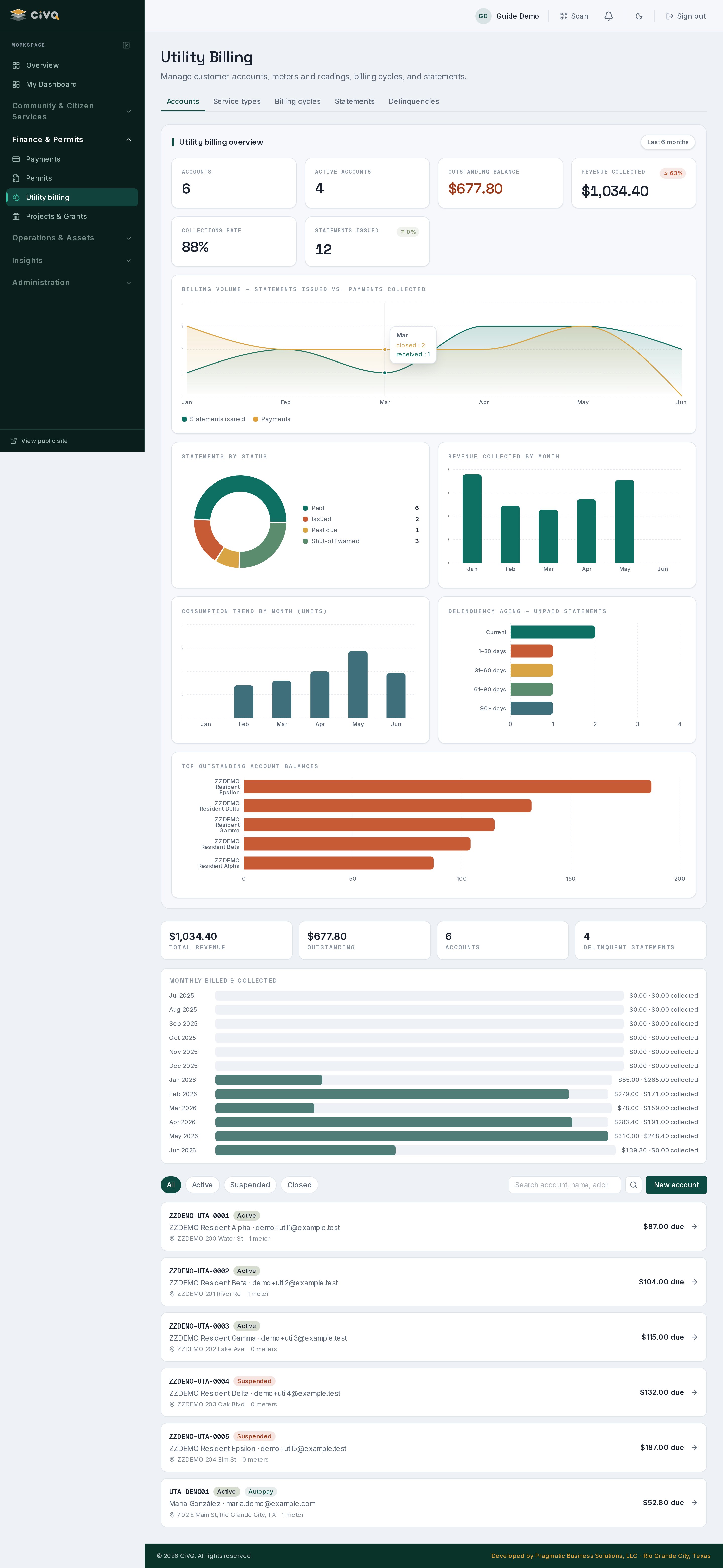
Manage billing cycles and issue statements; the dashboard tracks billed vs. collected month by month.
Watch the money
See total revenue, outstanding balance, account count, and delinquent statements at a glance, with per-account balances due.
Flag autopay accounts
Mark an account for autopay so each statement is charged at issuance, and the account shows an Autopay badge in the list.
Filter & search
Filter the account list by status and search by account number, name, or address to land on the right customer fast.
A typical workflow
- Open the account — enter the customer's details, service address, notice language, and (optionally) a map pin; CiVQ assigns the account number.
- Share the lookup code — give the customer their account number; it's how they look up their balance in the resident portal.
- Bill the cycle — run the billing cycle and issue statements; billed and collected totals update on the dashboard.
- Collect payment — payment is recorded (check today; card is a future add-on), and a bilingual receipt goes back to the customer.
- Track delinquencies — past-due and shutoff-warned statements surface as the delinquent count for follow-up.
A closer look
Staff:
/dashboard/utilities (with cycles, statements, delinquencies, and types subviews). Residents look up their balance from the resident portal using their account number.Works with
Payments for statement payment & receipts · Communications for bilingual billing notices · 311 Requests for service issues tied to an address.