Fleet + GPS + AI Maintenance
The whole government fleet in one place — live vehicle tracking, GPS devices, geofences, maintenance schedules, and alerts.
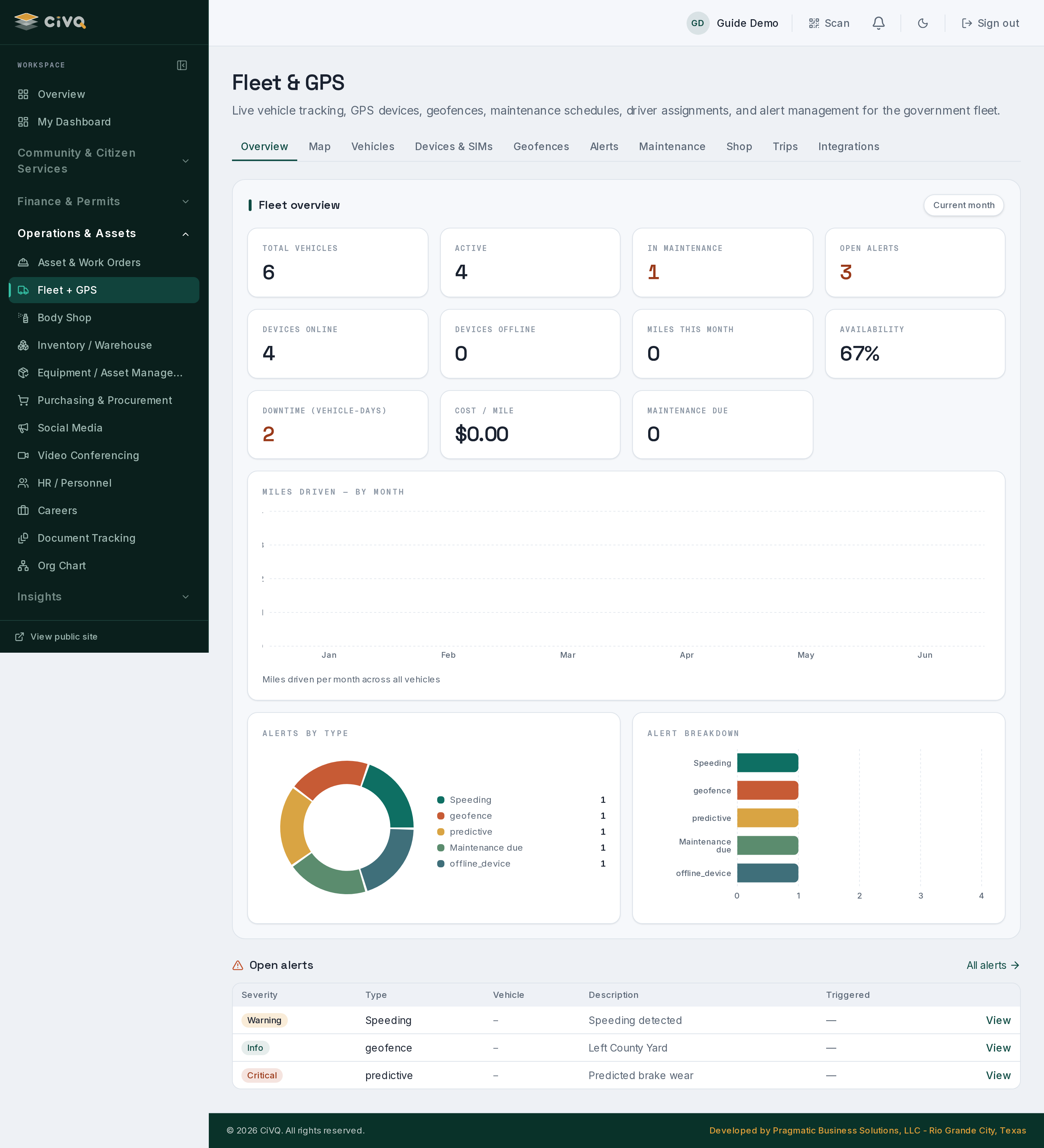
Fleet opens on an analytics landing — KPIs for total, active, and in-maintenance vehicles, devices online vs. offline, open alerts, and miles this month — then fans out across Map, Vehicles, Devices & SIMs, Geofences, Alerts, Maintenance, Shop, Trips, and Integrations.
What you can do
Keep the vehicle roster
Every government vehicle, its status (active or in maintenance), and its driver assignment — counts roll up to the overview KPIs.
Track on the map
See where vehicles are now, draw geofences, and review trips. Devices online vs. offline are surfaced as their own KPI.
Schedule & service
Maintenance schedules flag vehicles due for service; vehicles in the shop show up in the In-maintenance count and on the Shop tab.
Act on open alerts
The landing page previews open alerts by kind and severity; the Alerts tab is the full worklist for acknowledging and resolving them.
Manage devices & SIMs
The Devices & SIMs tab tracks the GPS hardware and its connectivity, so you know when a unit drops offline.
Plug in a provider
The Integrations tab connects telematics adapters — RasTrac, Tronic, and Telnyx — which stay dormant until their credentials are supplied.
A typical workflow
- Add a vehicle — register it on the Vehicles tab and assign a driver.
- Pair a device — attach a GPS unit on Devices & SIMs; once a telematics provider is connected on Integrations, position and trip data start flowing.
- Watch it live — the Map shows current locations; geofences and trips record where vehicles go.
- Stay ahead of service — maintenance schedules surface vehicles due; send one into the Shop and it counts as in-maintenance.
- Clear alerts — open alerts (offline device, geofence, service due) appear on the overview and the Alerts worklist for resolution.
A closer look