HR / Personnel
The staff back office for people — the employee roster, the department tree, and the approval chains that move every personnel action, purchase order, and time-off request to a decision.
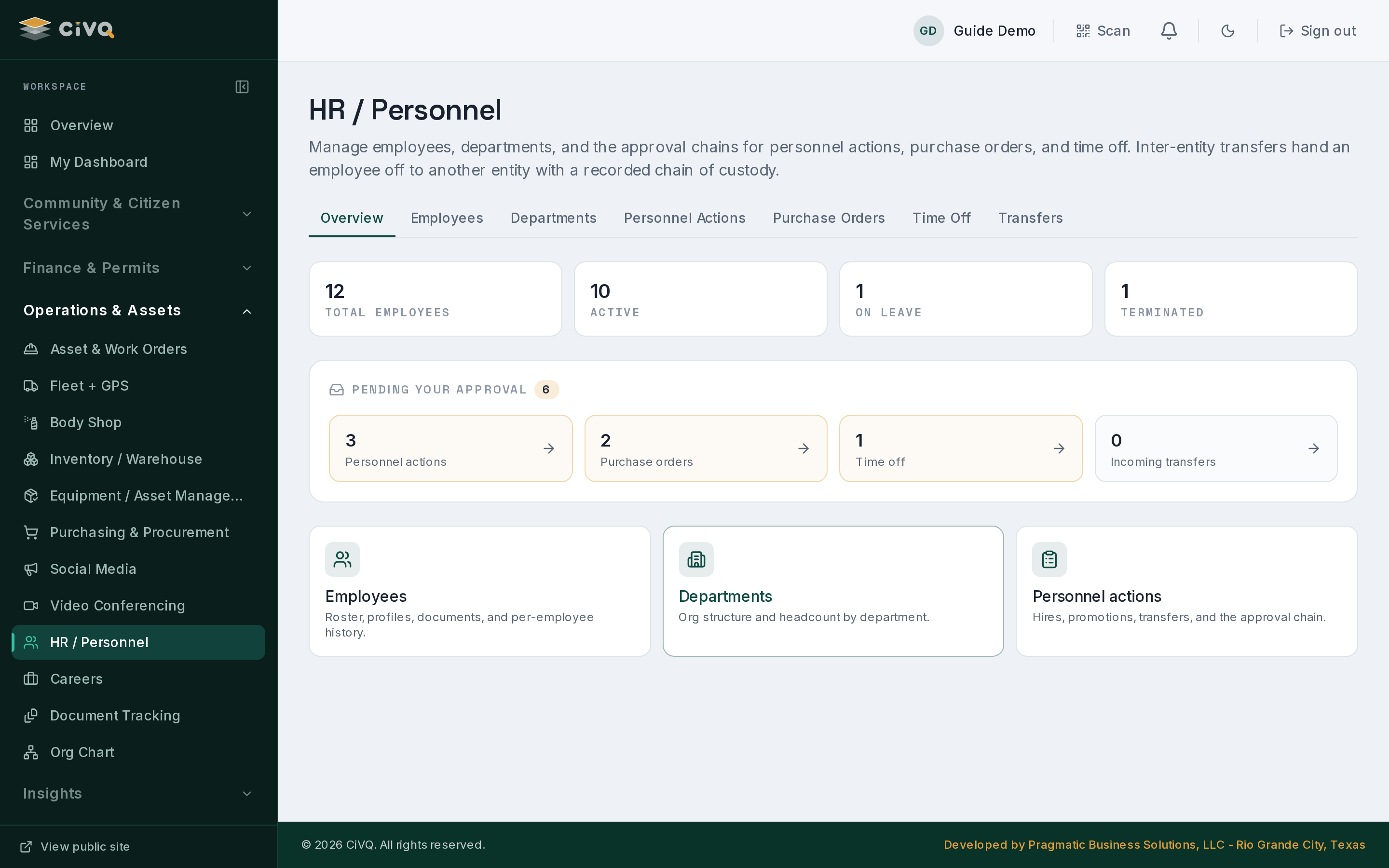
HR brings headcount, department structure, and approvals into one place. The home screen counts employees by status, surfaces everything waiting on your approval, and links straight into the roster, the departments, and the personnel-action chain — and inter-entity transfers hand an employee off to another entity with a recorded chain of custody.
What you can do
Keep the roster
Manage employees with profiles, documents, and per-employee history; the home tiles count total headcount and break it down by employment status.
Map the org
Maintain departments and see headcount by department — the org structure the rest of the dashboard hangs duties and visibility from.
Run the approval chain
Personnel actions — hires, promotions, transfers — walk a parent/child approval chain so each step has an owner and a decision.
Clear what's pending you
A "Pending your approval" panel pulls personnel actions, purchase orders, time off, and incoming transfers into one counted inbox.
Onboard & offboard
Bring people on and move them off cleanly, with the actions and documents that go with each transition.
Hand off across entities
Inter-entity transfers move an employee to another entity with a recorded chain of custody, landing as an incoming transfer for the receiving side.
Position control
Track authorized vs. filled positions, so a vacancy and an over-hire both show against the budgeted headcount.
Contract register
Keep a register of personnel and service contracts with expiry tracking, so a renewal is never missed.
A typical workflow
- Start from the home tiles — total employees and counts by status give you the shape of the workforce at a glance.
- Open the roster or departments — add or update an employee, attach documents, or adjust the department structure.
- A personnel action is raised — a hire, promotion, or transfer enters the approval chain and shows in the inbox of whoever owns the next step.
- Approvals are cleared — the "Pending your approval" panel counts personnel actions, purchase orders, time off, and incoming transfers waiting on you.
- A transfer hands off — an inter-entity transfer records its chain of custody and arrives as an incoming transfer on the other side.
A closer look
Staff:
/dashboard/hr, with sections for employees, departments, personnel actions, purchase orders, time off, and transfers.Works with
IT Management for the duties & department-subtree visibility that gate HR · Careers feeds new hires into the roster · Documents for employee files & certificates.